 Classes
Edits each character class: its starting stats, what it gains at each level, its graphics, and the special class-specific rules the game's code applies, such as which classes don't gain spell charges. The class list is on the left, and the selected class's details are on the right.
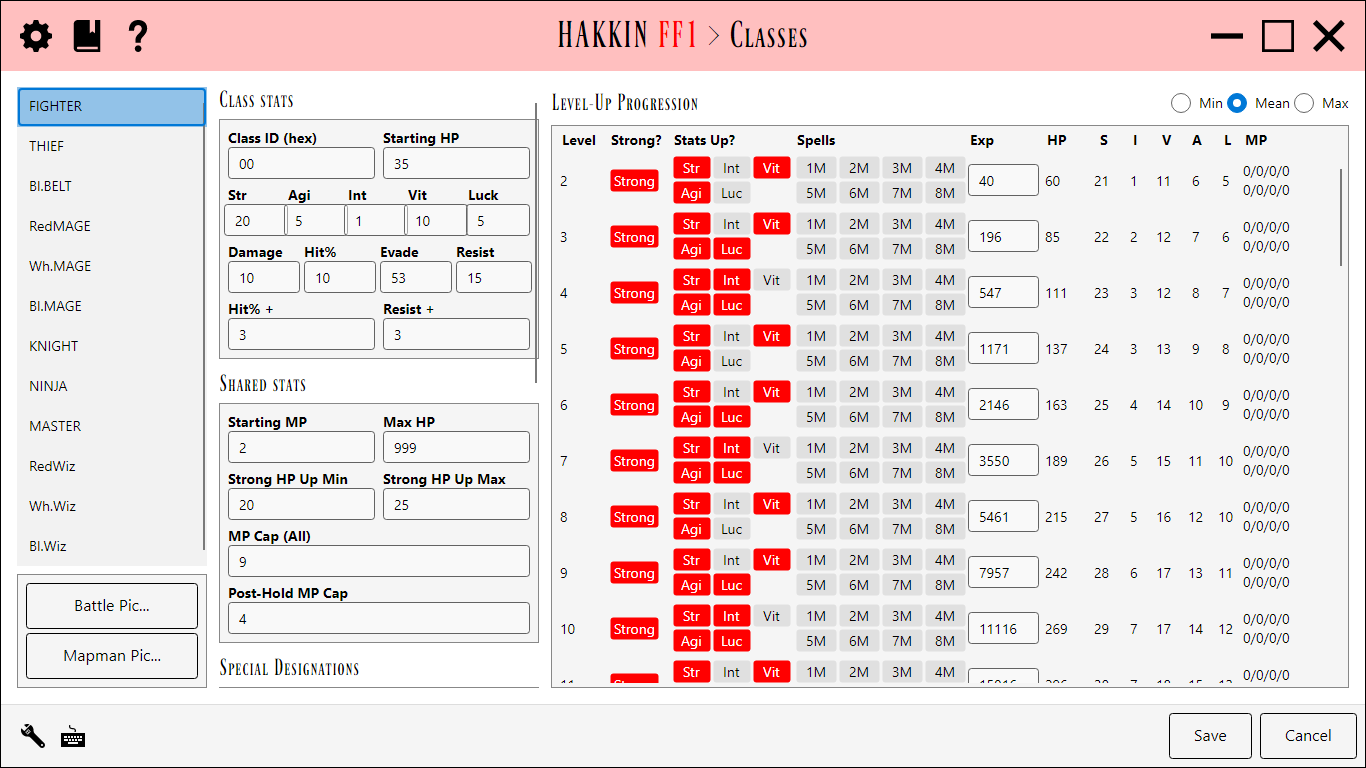
Class stats
The selected class's starting values: Class ID (hex), HP, Str, Agi, Int, Vit, Luck, Damage, Hit%, Evade, and Resist, plus the Hit% + and Resist + it gains per level.
Level-Up Progression
A row per level with the experience needed to reach it, whether it's a Strong? level (a larger HP gain), which stats go up (Str, Agi, Int, Vit, Luck), and the spell charges (MP) gained. The Min/Mean/Max buttons switch the running totals between the worst, average, and best case of the game's random rolls, so you can see how a class really develops.
The six base classes share their level-up data with their promoted forms, just as they do in the game.
Shared stats
Values that apply to every class, shown on each class's page for convenience: Starting MP, Max HP, the Strong HP Up Min/Max range, MP Cap (All), and the Post-Hold MP Cap.
Special Designations
The game's code singles out particular classes for a few rules. Each slot below picks which class it applies to, or <ignore> to turn it off.
| Designation | Detail |
|---|---|
| Hold MP 1 / 2 | The class never gains spell charges. Slot 1 is always the first class, as in the game's code. Slot 2 can be any class. |
| Post-Hold MP 1 / 2 | The class's spell charges are capped at the Post-Hold MP Cap instead of MP Cap (All). |
| BBMA 1 / 2, 2x Hits 1 / 2 | The two classes (Black Belt and Master in the original game) that get the unarmed-combat bonuses: BBMA for the stat bonus, 2x Hits for the doubled hit count. |
| Initial MP Class First / Last | The range of base classes that start the game with Starting MP. |
Graphics
Battle Pic... and Mapman Pic..., under the class list, open pixel editors for the selected class's sprites. Both work the same way:
- Closeup is the selected block, enlarged. Left-click or drag to paint with the selected paint color; right-click or drag to erase.
- The
 button exports the graphic as an image and imports it back.
- Save keeps the changes, and Cancel drops them.
Battle Pic overlay
Edits the class's in-battle sprite.
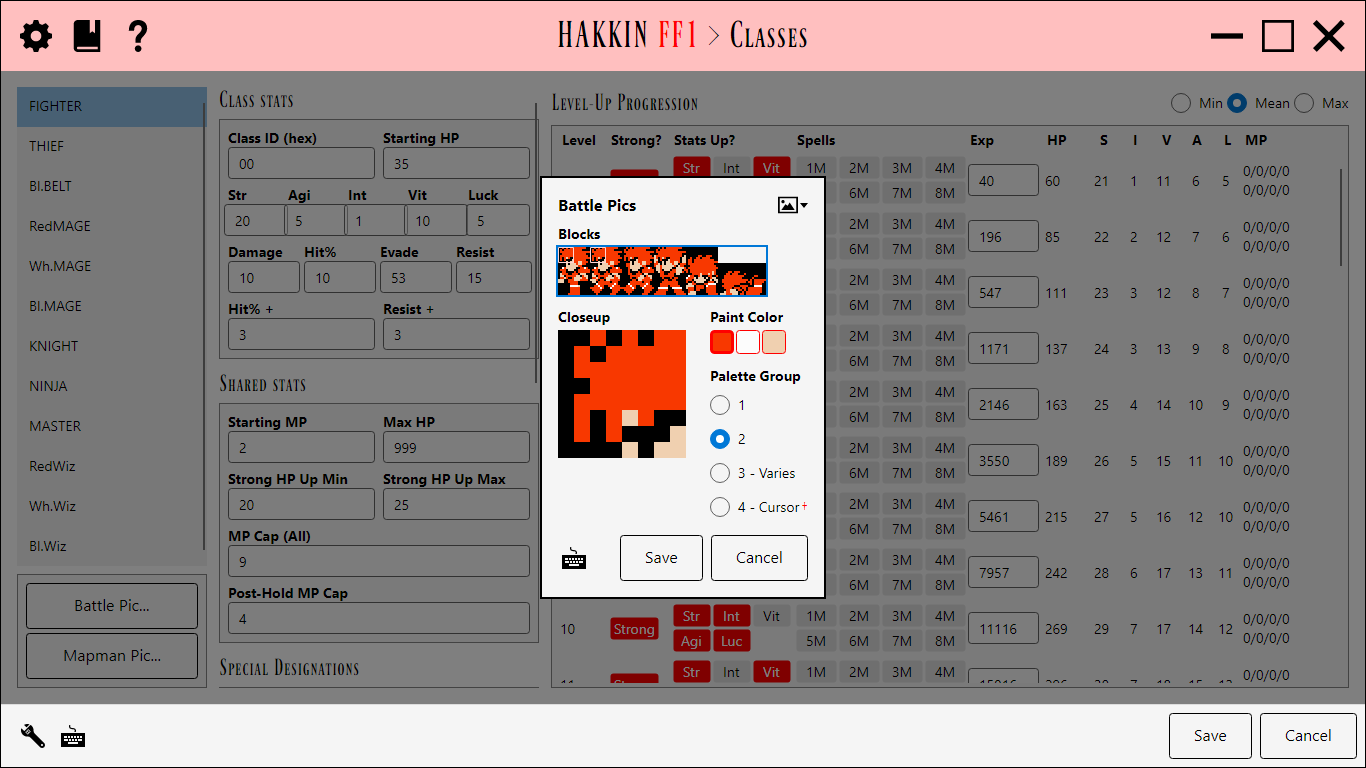
- Blocks shows the sprite's animation frames side by side: Standing, Walking, Attack, Fanfare, and Weak, with Dead below them. Click a block to edit it in the Closeup. Standing and Walking share four blocks, so painting one changes both.
- Paint Color shows the three colors of the class's palette group. Click one to paint with it.
- Palette Group chooses which of the four shared palette groups the class uses: 1, 2, 3 - Varies, or 4 - Cursor. Group 4's colors are the cursor's, which the Graphics editor also edits.
Mapman Pic overlay
Edits the class's walking sprite on the maps.
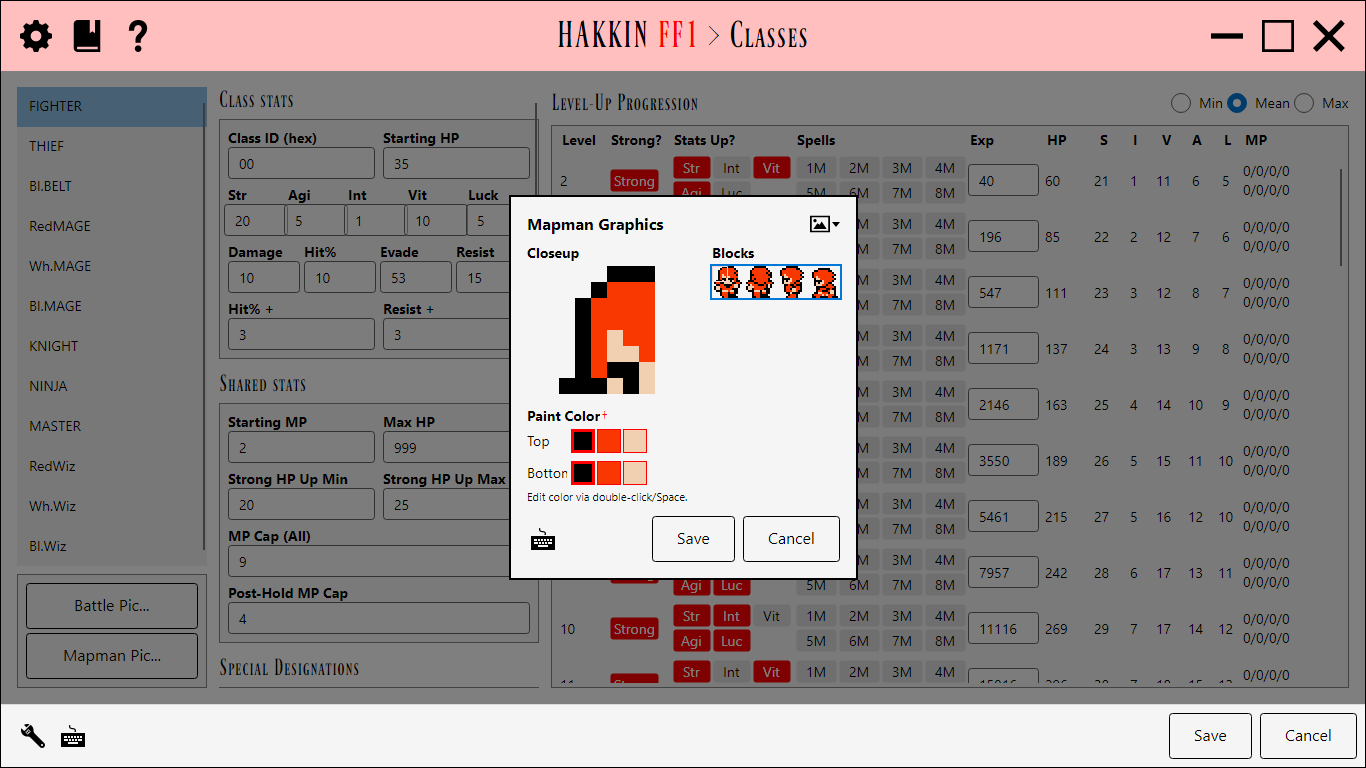
- Blocks shows the sprite's 16 blocks. Click one to edit it in the Closeup.
- Paint Color has a row of colors for the Top and the Bottom half of the sprite. Click a color to paint with it. Double-click it, or press Space, to change it in the NES Palette overlay.
- Only the middle color of each row belongs to this class. The first and third are shared by every class's map sprite, and are also edited in the World Map editor's Overworld Palettes.
Settings
Each special designation can be turned off for a project whose code no longer has it. Turned off, its slot is ignored instead of being read from and written to the ROM.
| Setting | Default | Detail |
|---|---|---|
| IgnoreHoldMP1, IgnoreHoldMP2 | off | Ignore Hold MP slot 1 or 2. |
| IgnoreCapMP1, IgnoreCapMP2 | off | Ignore Post-Hold MP slot 1 or 2. |
| IgnoreBBMA1, IgnoreBBMA2 | off | Ignore BBMA slot 1 or 2. |
| IgnoreInitialMpClassesRange | off | Ignore the Initial MP class range. |