 Sprite Dialogue
Edits what happens when the party talks to each of the game's 208 sprites (townspeople, kings, fairies, and so on): which talk routine runs, and that routine's values, such as which text is shown, which item is required or given, which event flag is checked or set, and which battle is started. The sprite list is on the left; sprite names are project labels.
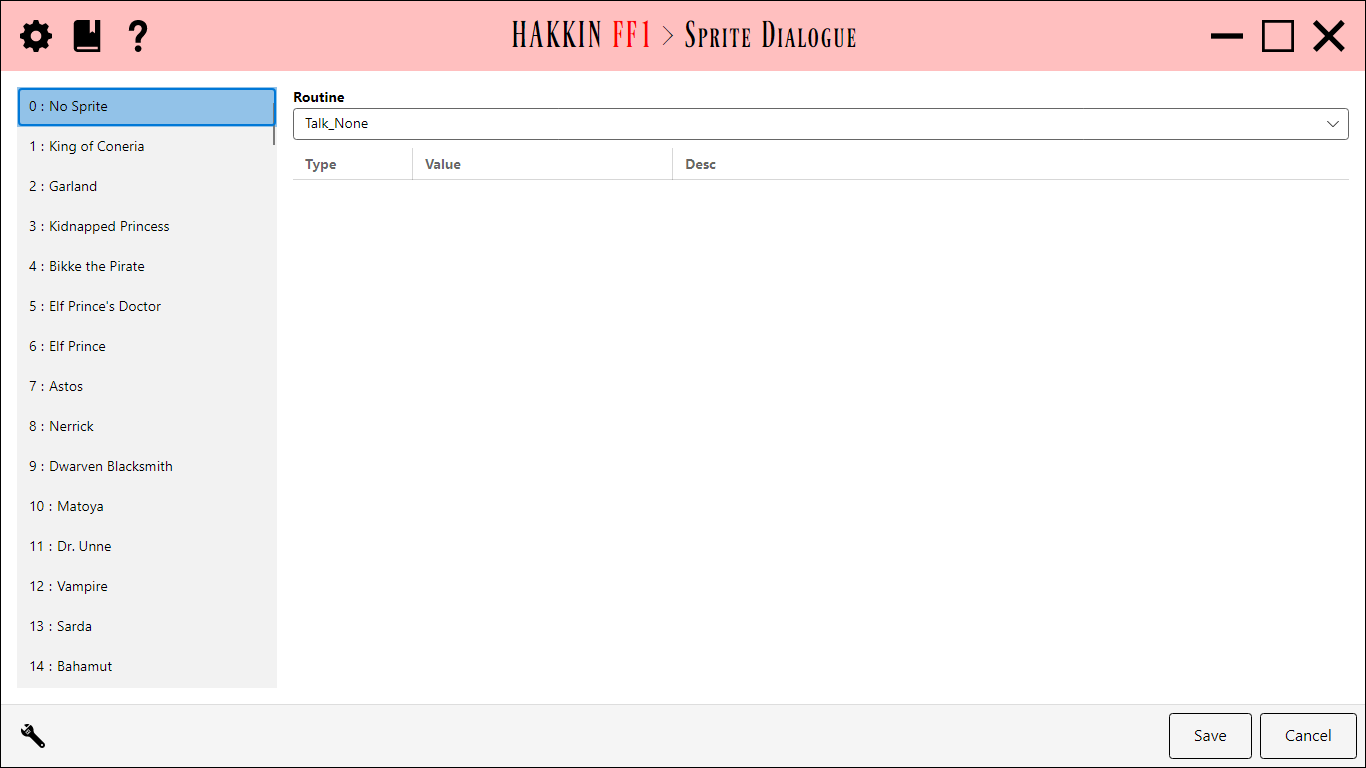
Routine
The Routine dropdown shows the talk routine the selected sprite uses, with its description. Choosing another routine assigns it to the sprite. A sprite whose handler isn't one of the known routines shows (unmapped).
Routine values
The grid lists the routine's editable values, one per row, with its Type (text, item, event, battle, and so on), Value, and Desc. Text values offer a dropdown of dialogue strings, previewed according to the editor's settings.
Values marked † are shared: they're stored in the routine's own code, so changing one affects every sprite that uses the routine, not just this one.
The .dialogue file
The routines themselves are defined in the project's <Name>.dialogue file: their addresses, and which bytes are which values. It's plain text, kept close to FFHacksterEX's own .dialogue format, so you can add definitions for a hack's new routines by hand. See Files in a ROM project.
Settings
| Setting | Default | Detail |
|---|---|---|
| ShowActualText | on | Show the dialogue text itself in text dropdowns, not only its number. |
| ShortTextLength | 50 | How many characters of that text to show. |
| ThrowOnBadSpriteAddr | off | Treat a sprite with an unknown handler, or a routine that can't be reached, as an error that stops the editor from opening, instead of showing it as unmapped. |